
Sell without internet
Sales are written to the computer first. A lost connection, a busy network or a power cut never loses a completed sale.
Pharmacy POS · Product of Sharuma Company Limited
A fast, offline-first point of sale for pharmacies. Sell, receive stock, print receipts and keep working when the connection drops — then sync automatically when it returns.
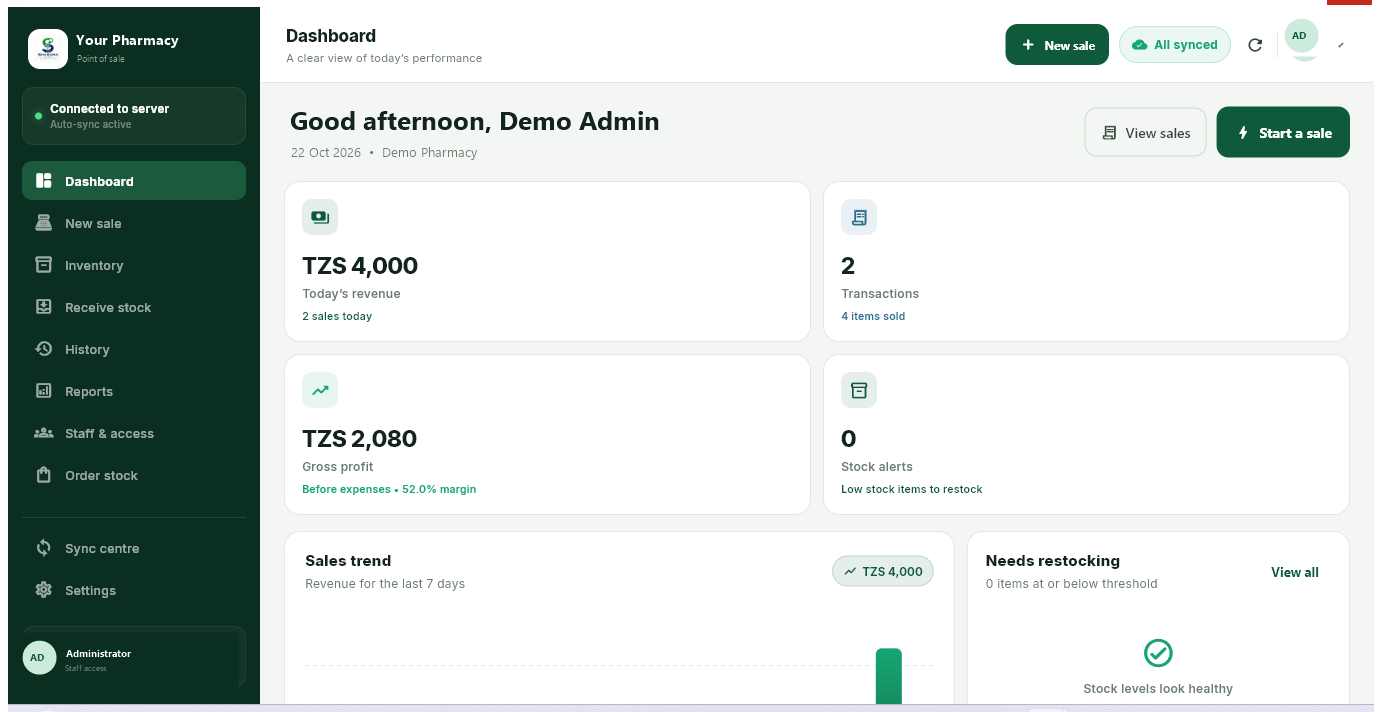
Built for the counter
Designed around the way medicine is actually sold: search, add, take payment, print and move on.
Sales are written to the computer first. A lost connection, a busy network or a power cut never loses a completed sale.
When internet returns, the app uploads queued sales and receipts and pulls the latest stock and prices. It also checks every two minutes.
Stock levels and selling prices update from the Sharuma cloud, so the counter and the back office see the same numbers.
Print a clean receipt on a thermal or office printer, with the pharmacy name, items, totals, payment method and change.
See revenue, profit, best-selling products and low-stock items from data saved on the computer.
The mobile POS and desktop POS use the same staff accounts and inventory. Sales from both merge on the server.
Windows installer
Install for the current Windows user. The pharmacy name is picked up automatically after sign-in.
Installer88A4F597A12D84060D3CDEA8818271AD080ECAFB0D95A450A815122F7BD0739E
Portable ZIP0DCF780577E170486BE4552C78F14042C59469E9ADC2B4F03DF70B65D20DF9DD
Need an account? Register POS only or register SharuDawa + POS.
By downloading, you agree to the Terms of Service and Privacy Policy. Product of Sharuma Company Limited.
Installing
Choose the installer above. Keep the file until setup finishes.
Double-click the file and follow the prompts. A desktop shortcut is created automatically.
Use the pharmacy phone number and the POS PIN or account password. The first sign-in needs internet.
After the first sign-in the app remembers the session. Selling and supplier receipts continue to work without internet; everything syncs when the connection returns.
Good to know
Need help with installation or a pharmacy account? Contact our team or email [email protected].
Yes. Sales, supplier receipts, stock viewing, receipts and reports work from data saved on the computer. Sharuma delivery receiving, staff management and purchase ordering need internet.
The app uploads queued sales and receipts, then pulls the latest stock, prices, sales and deliveries from the Sharuma cloud. It also checks automatically every two minutes.
Yes. Both use the same Sharuma pharmacy account, staff and inventory. The server merges sales from every device and each device pulls the updated stock.
Yes. After the first sign-in, the pharmacy/facility name appears in the sidebar, the Windows title bar, the dashboard and printed receipts.
Windows 10 or Windows 11, 64-bit, at least 4 GB RAM and about 500 MB of free disk space. Internet is needed for the first sign-in and sync.
It is the desktop edition of the same SharuDawa POS product. The mobile POS stays available for phones, and both share the same cloud data.
Register a POS-only pharmacy at sharudawa.com/register/pos, or choose SharuDawa + POS at sharudawa.com/register. POS-only accounts are free for pharmacies and can add ordering after verification.